Project planning
Structure tasks and discuss the planned workflow with the team.
EU FlowOrganisation
EU Flow brings tasks, dates and responsibilities together. The board shows ongoing work, the timeline shows how things relate, and the capacity view shows how work is distributed across the team.
Plan work, identify bottlenecks and move tasks forward.
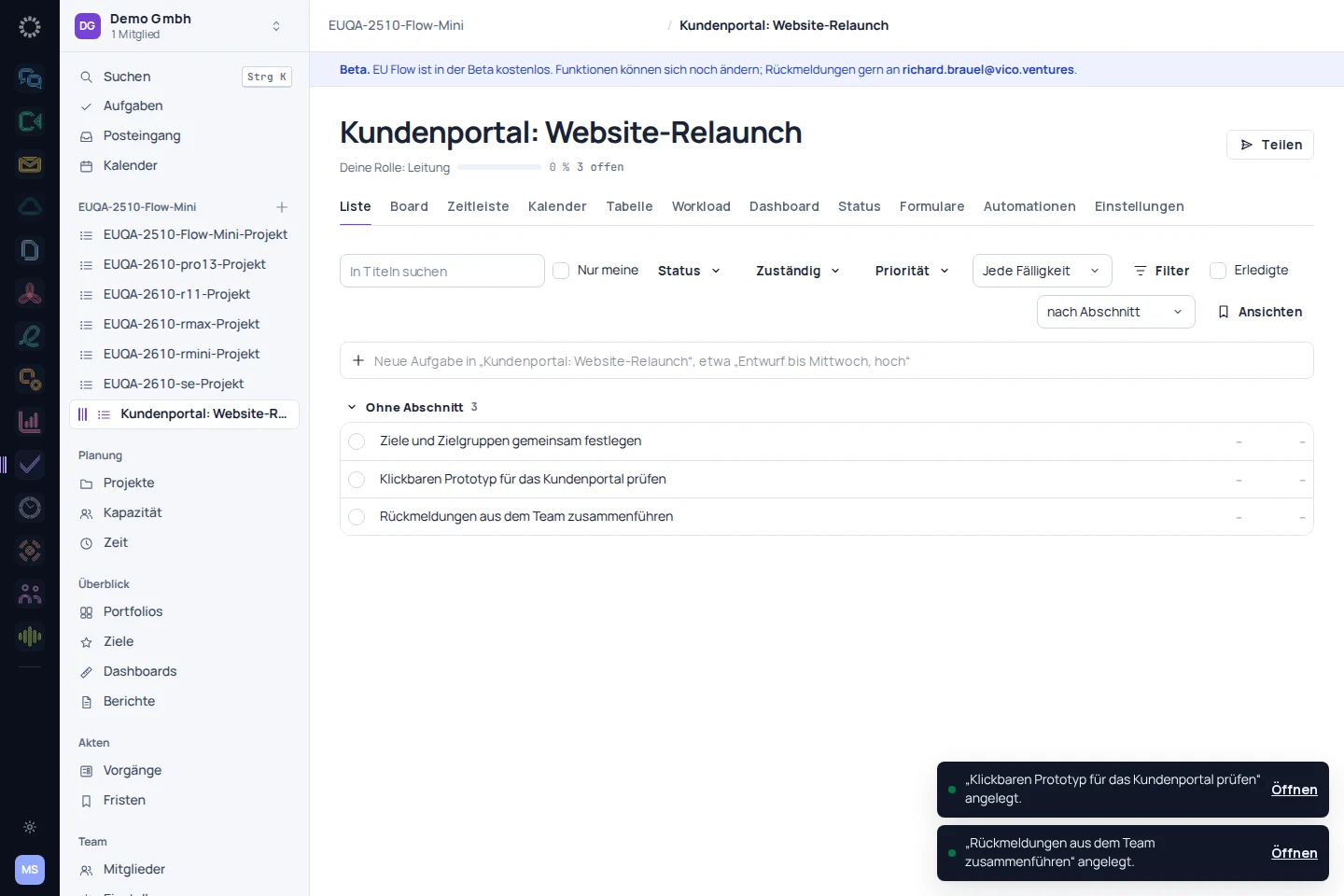
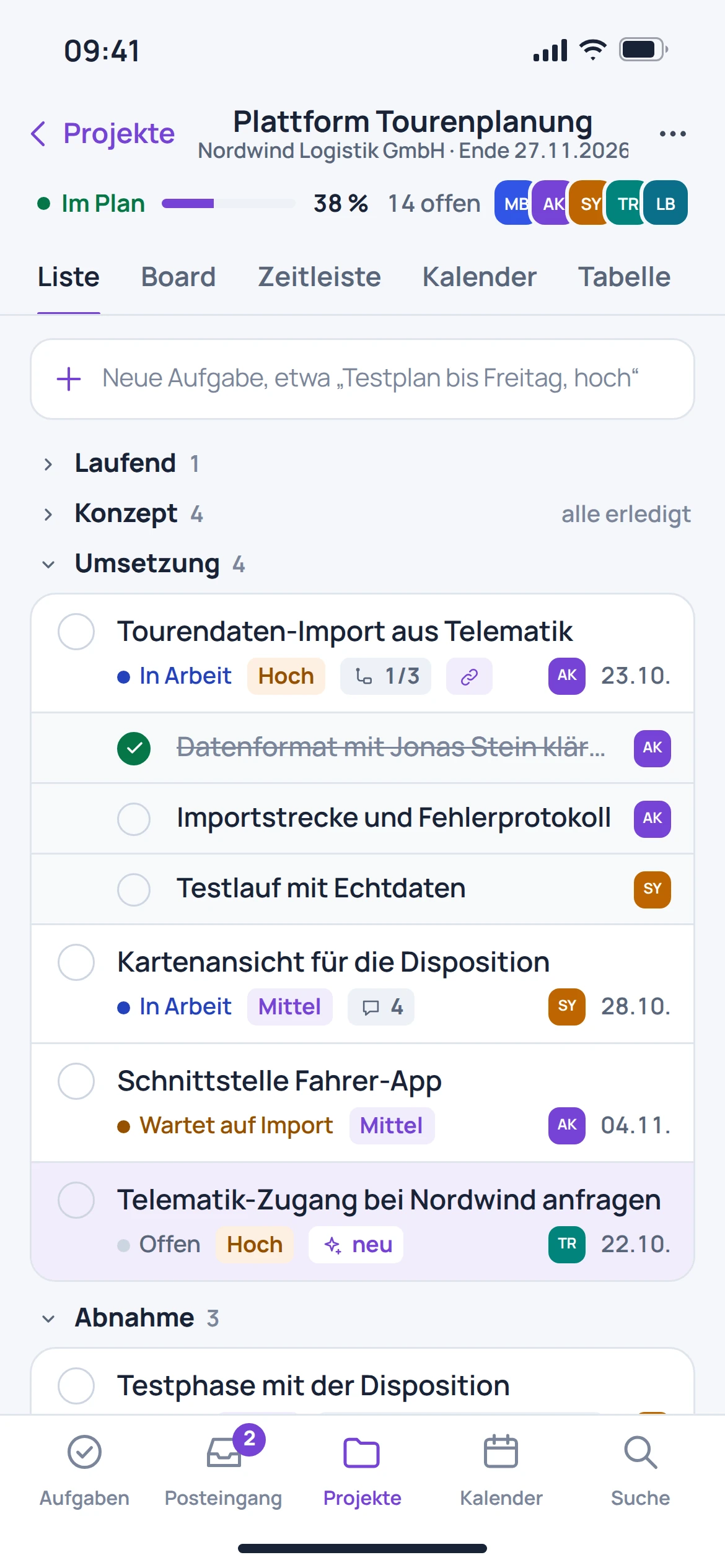
Project planning
On the project board, tasks are assigned a status. The listed quick-create feature links a short description to a date, person and priority.
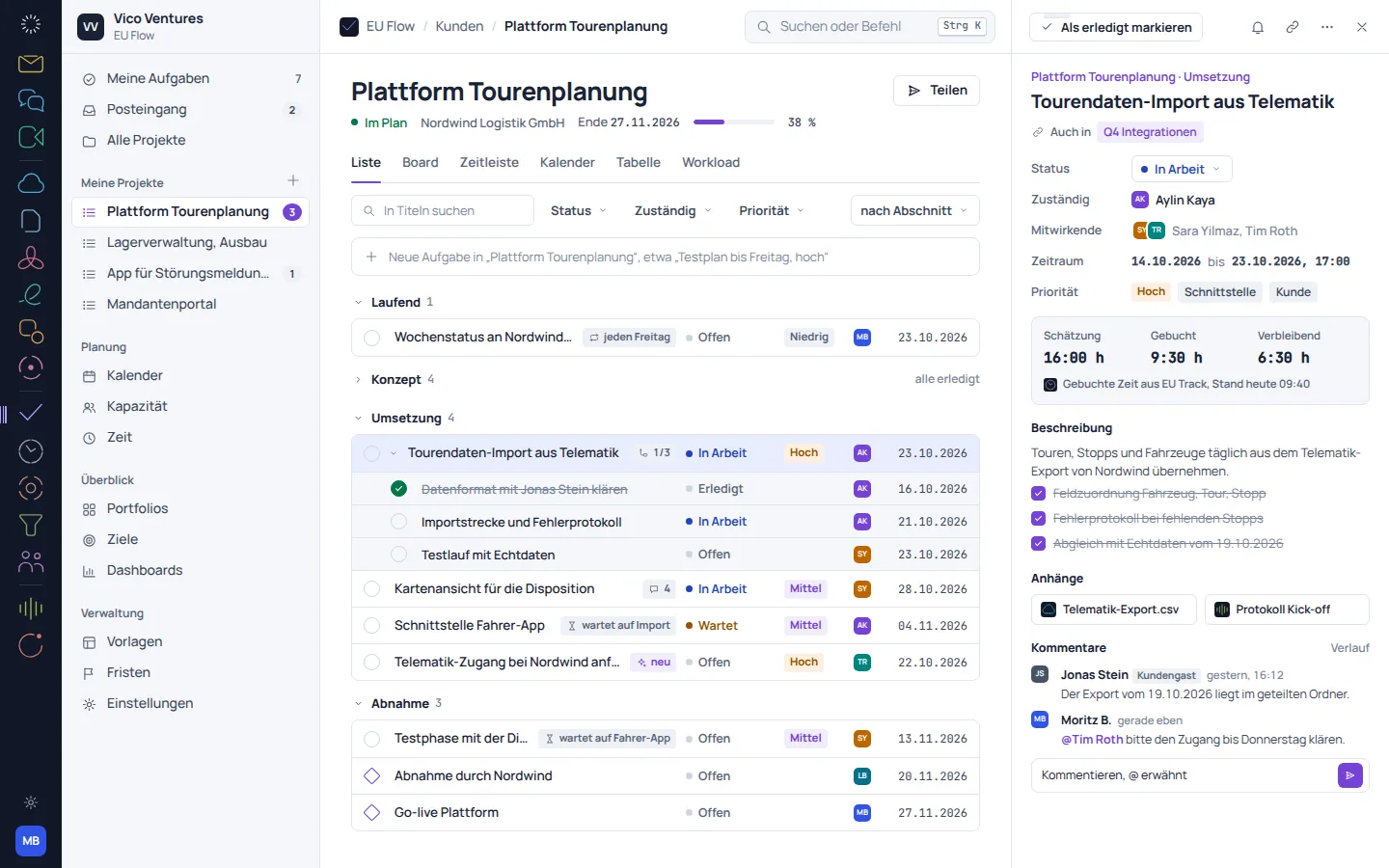
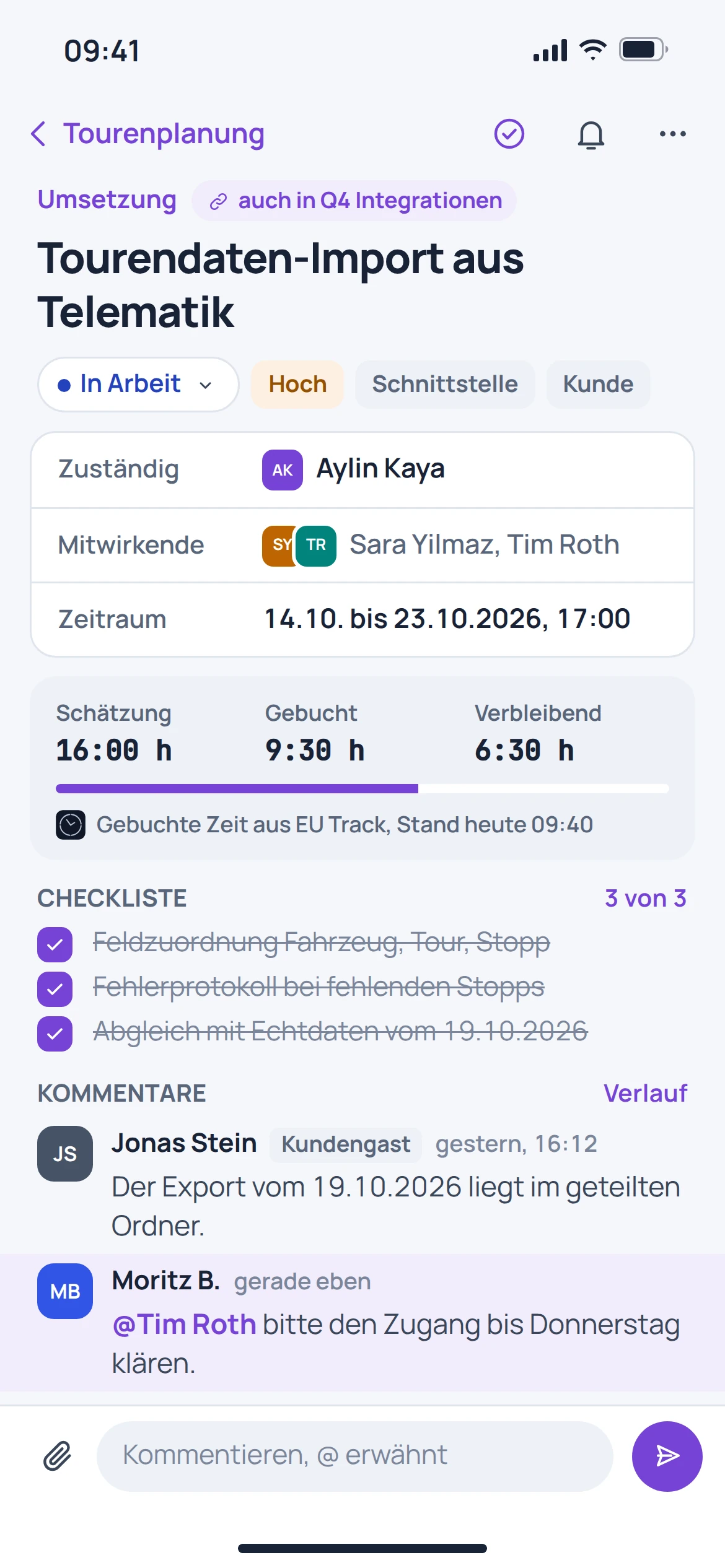
Ongoing projects
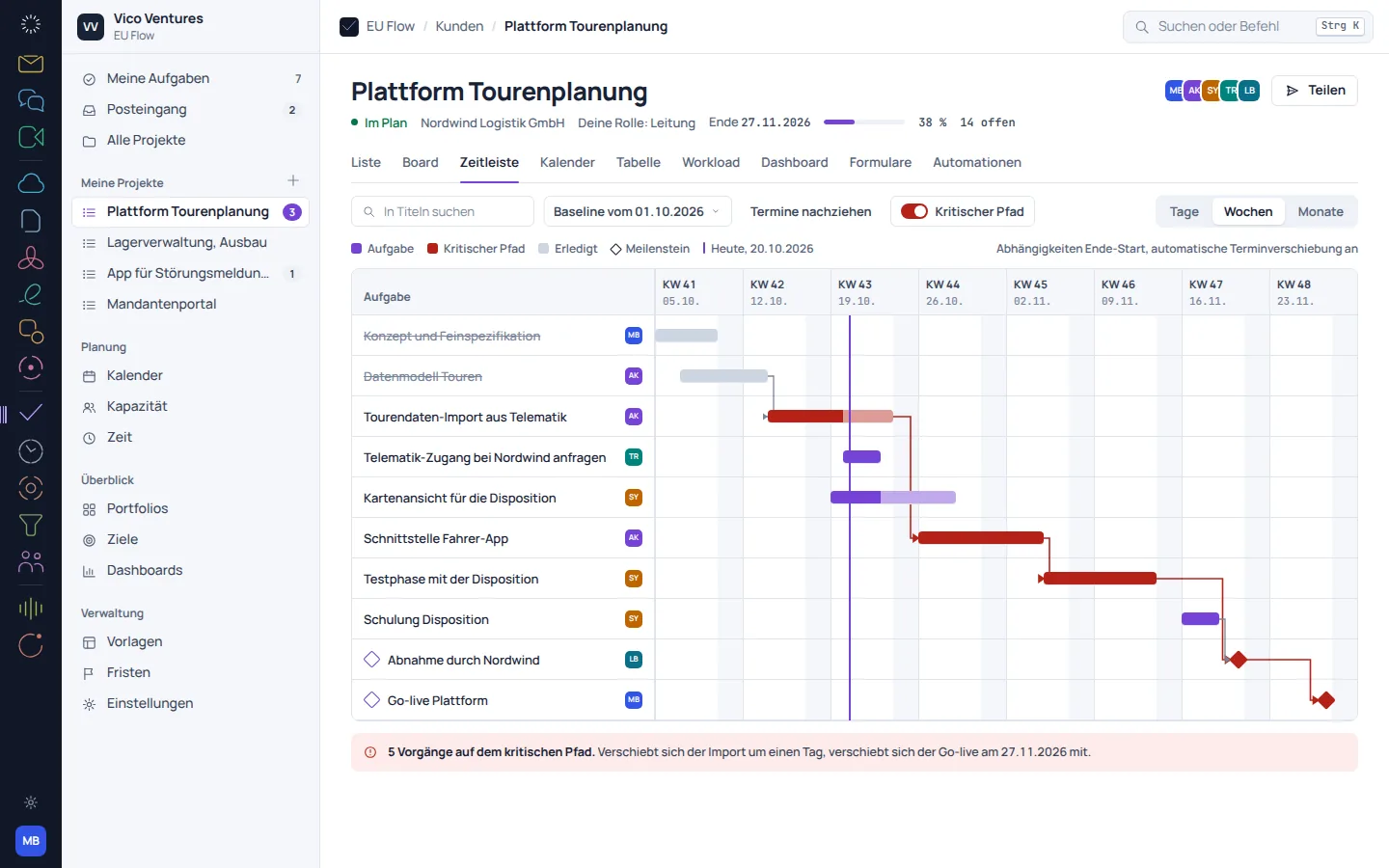
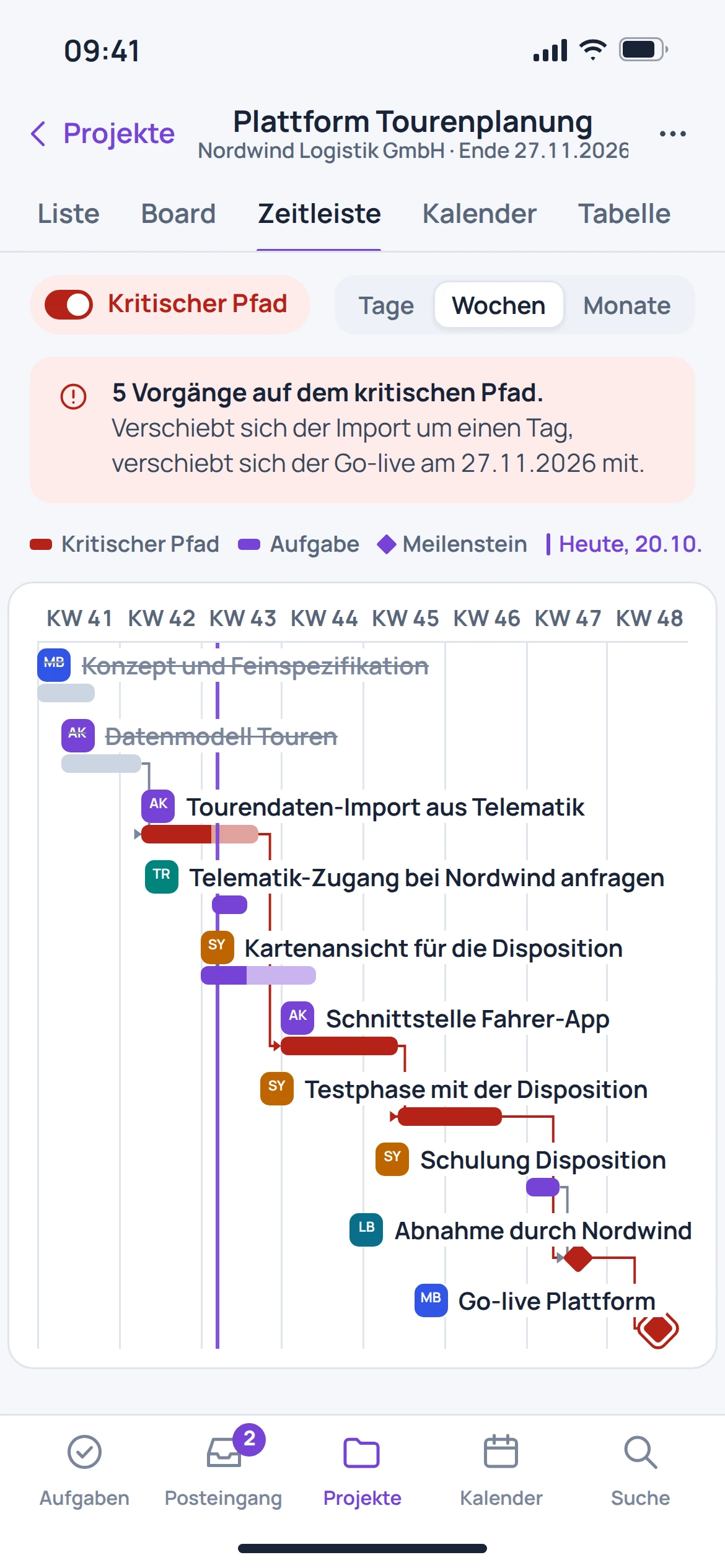
A timeline shows how tasks and milestones relate. Dependencies help you understand which other work will be affected by a change.
Planning sessions
The capacity view organises planned work by person and week. This makes differences in workload visible before a deadline only works on paper.
From getting started to results
Plan work, identify bottlenecks and move tasks forward.
Break the project into tasks with owners and deadlines.
Arrange tasks into a workable sequence on the board and timeline.
Review progress and planned workloads together on a regular basis.
EU Flow in everyday work
Structure tasks and discuss the planned workflow with the team.
Place work steps on the board and determine the next useful step.
Review timelines and capacity questions together. Check the feature status of each view.
One account. More possibilities.
Discover the right tools for the next step. Find features and available integrations on each product page.
Switch with confidence
An automatic migration from Asana, Jira, Trello or monday.com is in preparation. The key is how statuses, people and custom fields map to the new project.
Check before anything moves
Select a manageable project with typical tasks and fields.
Compare statuses, owners, deadlines and custom fields.
After a future migration, check subtasks, comments and attachments separately.
Individually. Together. Right for you.
Free, Basic and Pro for every product. One EU Suite account connects your apps. You manage your selection and access in the Control Centre.
Plan preview · suggested price · Individual
Free
For getting started on your own
0,00 €0,00 €/ month
Free plan
Basic
For your daily work
9,36 €7,80 €/ month
When paying monthly€93.60 with annual billing
Pro
For more advanced workflows
14,04 €11,70 €/ month
When paying monthly€140.40 with annual billing
Suggested prices include 19% VAT for Germany. The commercial feature allocation is planned; binding offers and available services are shown in the control centre. No purchase is made here.
Team adds role and licence management. A 10% surcharge and at least three paid seats per product are planned. Your account type is set in your profile.
Multiple apps, one package
Compare suitable packages in the control centre before deciding.
Before getting started
The board organises work by status. The timeline shows dates, milestones and dependencies in context.
The listed capacity view displays planned work by person and week. It supports planning discussions.
An automatic migration from other providers is in preparation. Custom fields and statuses require an explicitly reviewed mapping.
The connection is provided for in the product documentation. This page does not promise a fully configured automatic synchronisation.