EU Flow · Features
What moves work forward.
Plan work, identify bottlenecks and move tasks forward.
01 · Feature in focus
Make the task concrete.
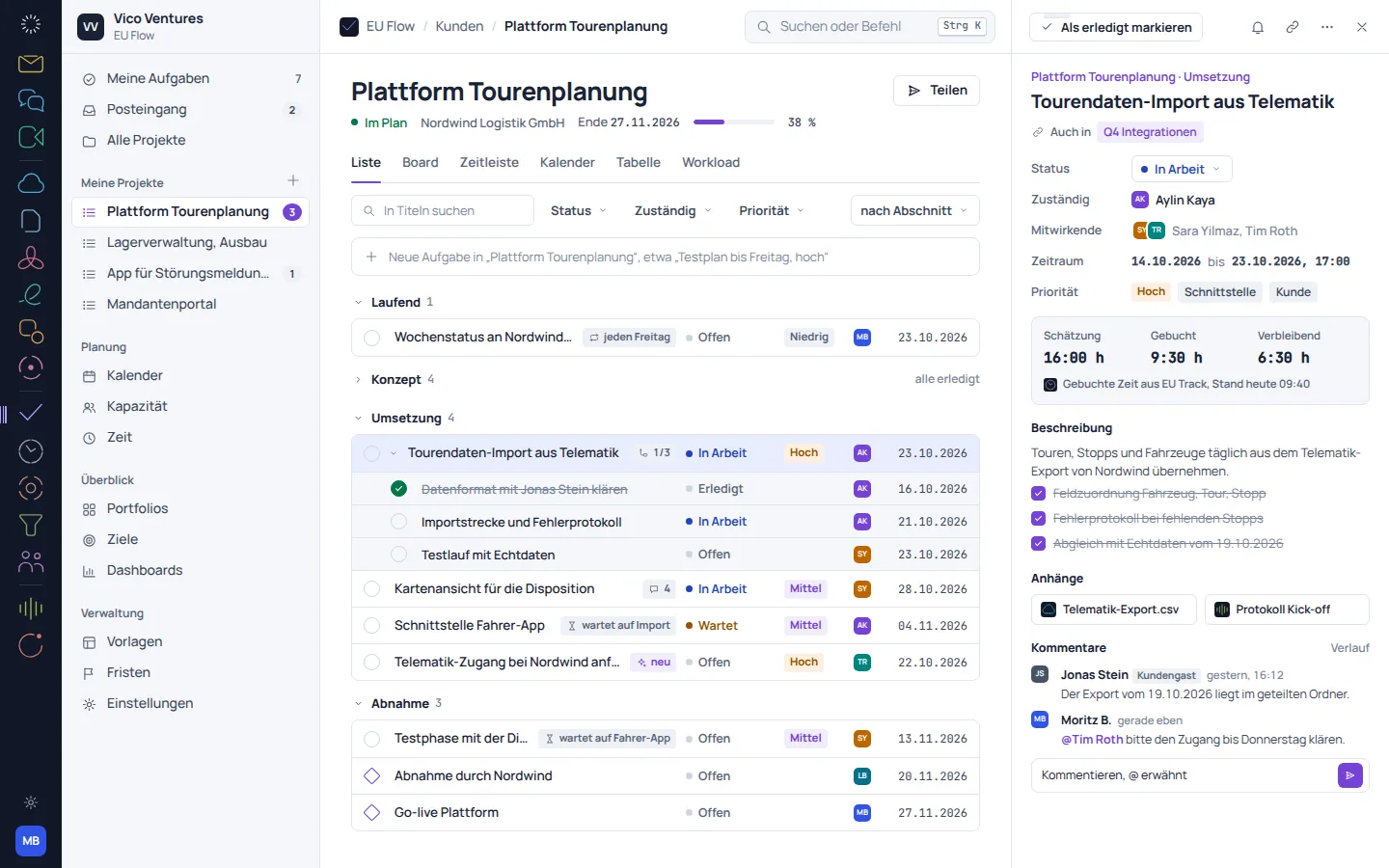
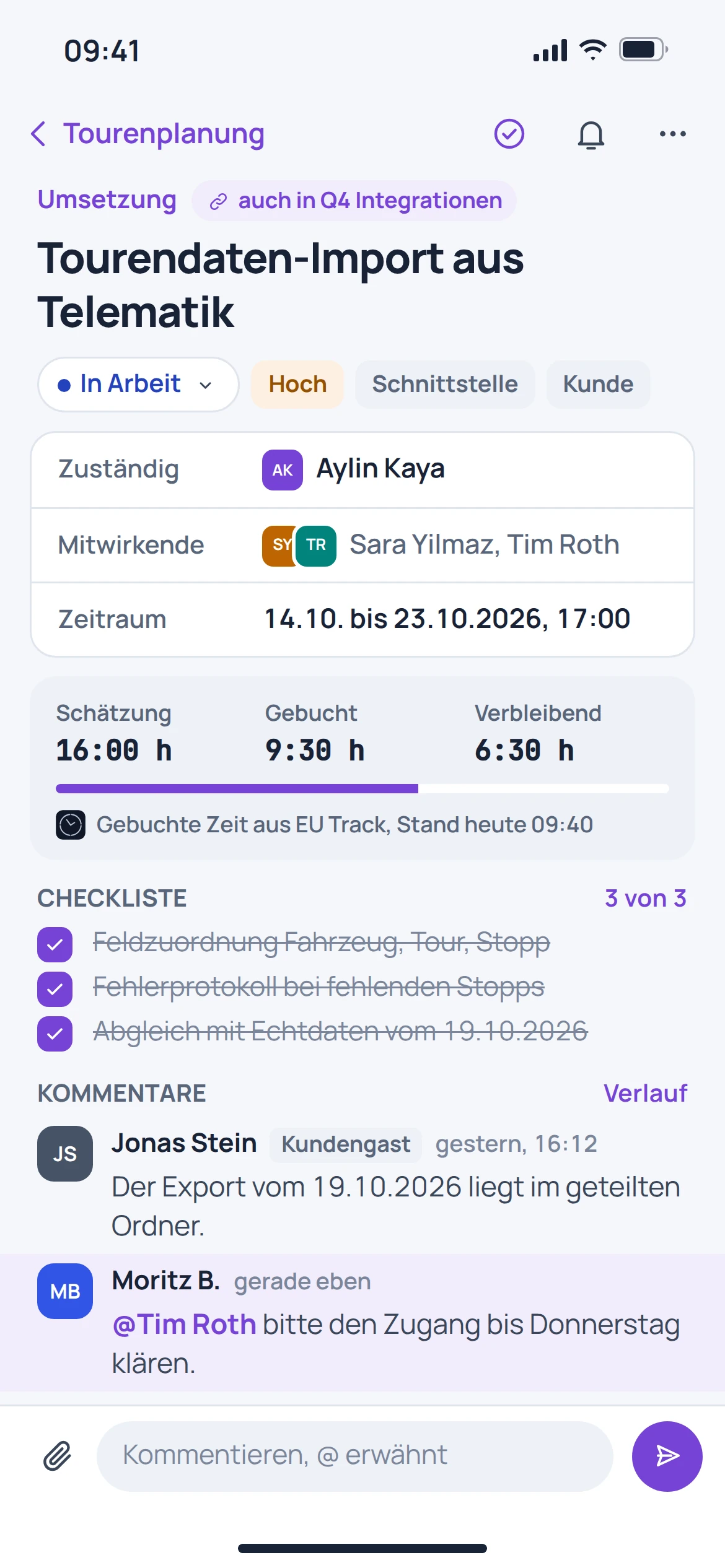
On the project board, tasks are assigned a status. The listed quick-create feature links a short description to a date, person and priority.
- Organise tasks on the project board
- Record ownership and deadlines
- Make priorities visible
02 · Feature in focus
Dates rarely stand alone.
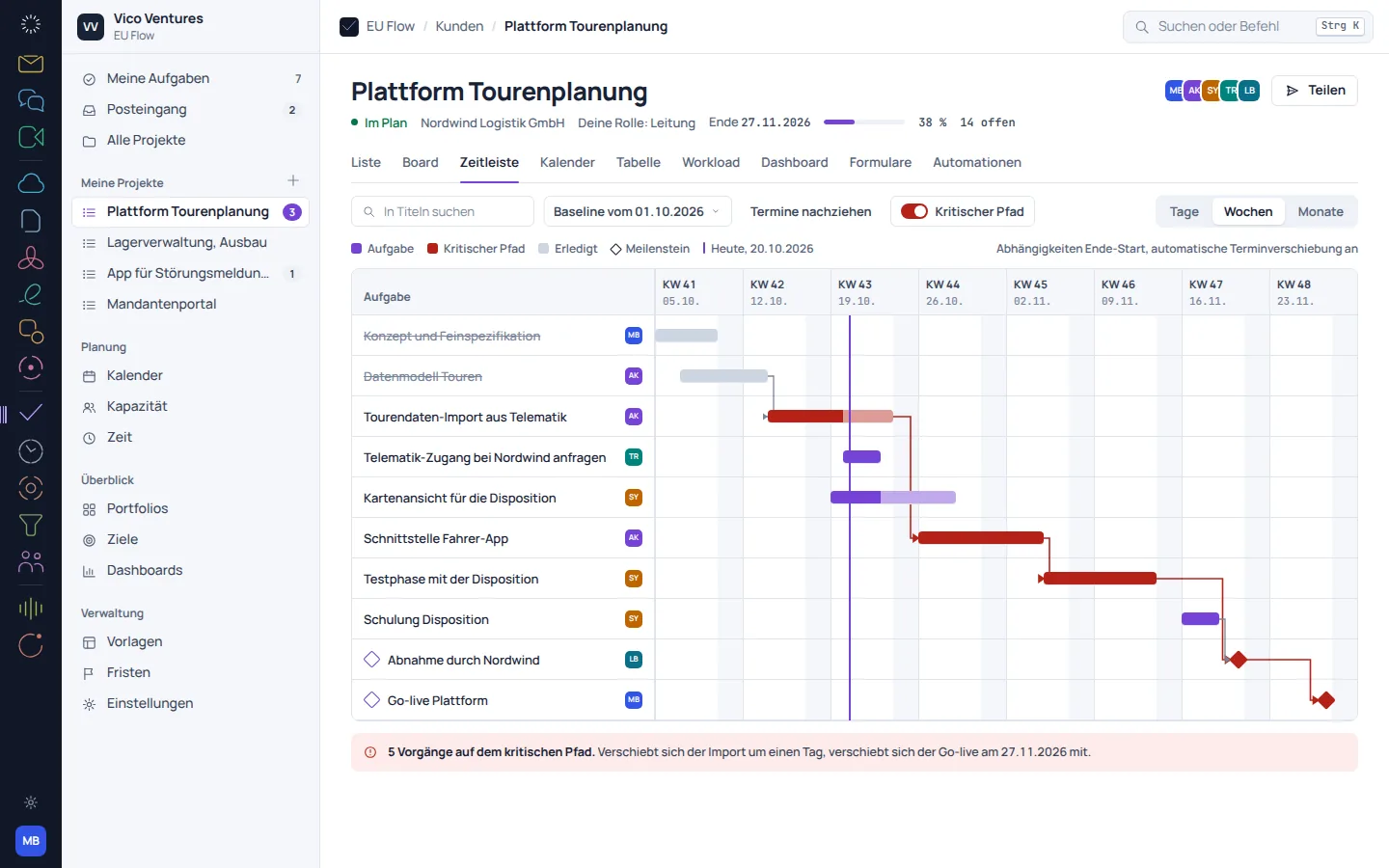
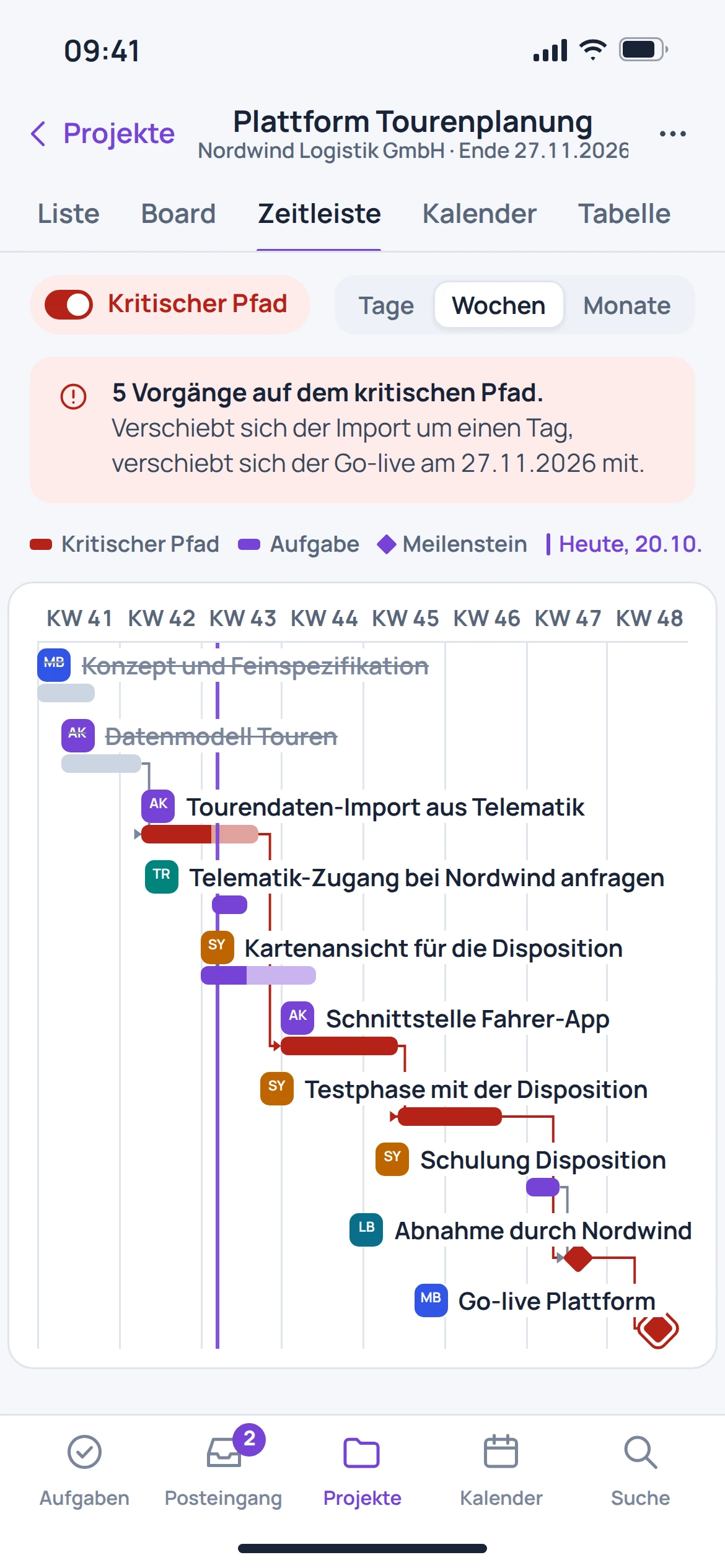
A timeline shows how tasks and milestones relate. Dependencies help you understand which other work will be affected by a change.
- Schedule tasks
- Mark milestones
- View dependencies over time
03 · Feature in focus
Planning needs a view of people.
The capacity view organises planned work by person and week. This makes differences in workload visible before a deadline only works on paper.
- View planned work by person
- Compare weeks
- Discuss the distribution across the team
Before getting started
Good to know.
Why do I need a timeline as well as a board?
The board organises work by status. The timeline shows dates, milestones and dependencies in context.
Does Flow also show how work is distributed?
The listed capacity view displays planned work by person and week. It supports planning discussions.
Are Jira fields transferred unchanged?
An automatic migration from other providers is in preparation. Custom fields and statuses require an explicitly reviewed mapping.
Are absences from HR always taken into account automatically?
The connection is provided for in the product documentation. This page does not promise a fully configured automatic synchronisation.